

Why not just use another AI writing tool?
Because sometimes the hard part is not asking AI for help. The hard part is getting the thought out in a way the AI can even understand. If you are dyslexic, dysgraphic, ADHD, or process language differently, you may know exactly what you mean, but the first version can come out messy.
Words get spelled in a way other tools do not recognize. Letters get mixed up. Sentences run together. Voice notes come out with filler words, restarts, and half-thoughts. Some days the words are easier. Other days you are tired, overwhelmed, or staring at a message that should be simple but suddenly feels impossible.
That is the moment Write What I Mean was built for.
A place to write, speak, hear, review, edit, and send.
-
![Screenshot of a messaging app interface showing a voice message and a text message draft asking about sending a report and scheduling a meeting, with options for sharing via Email, Text, Slack/Teams, LinkedIn, or Document, and a 'Clean it up' button.]()
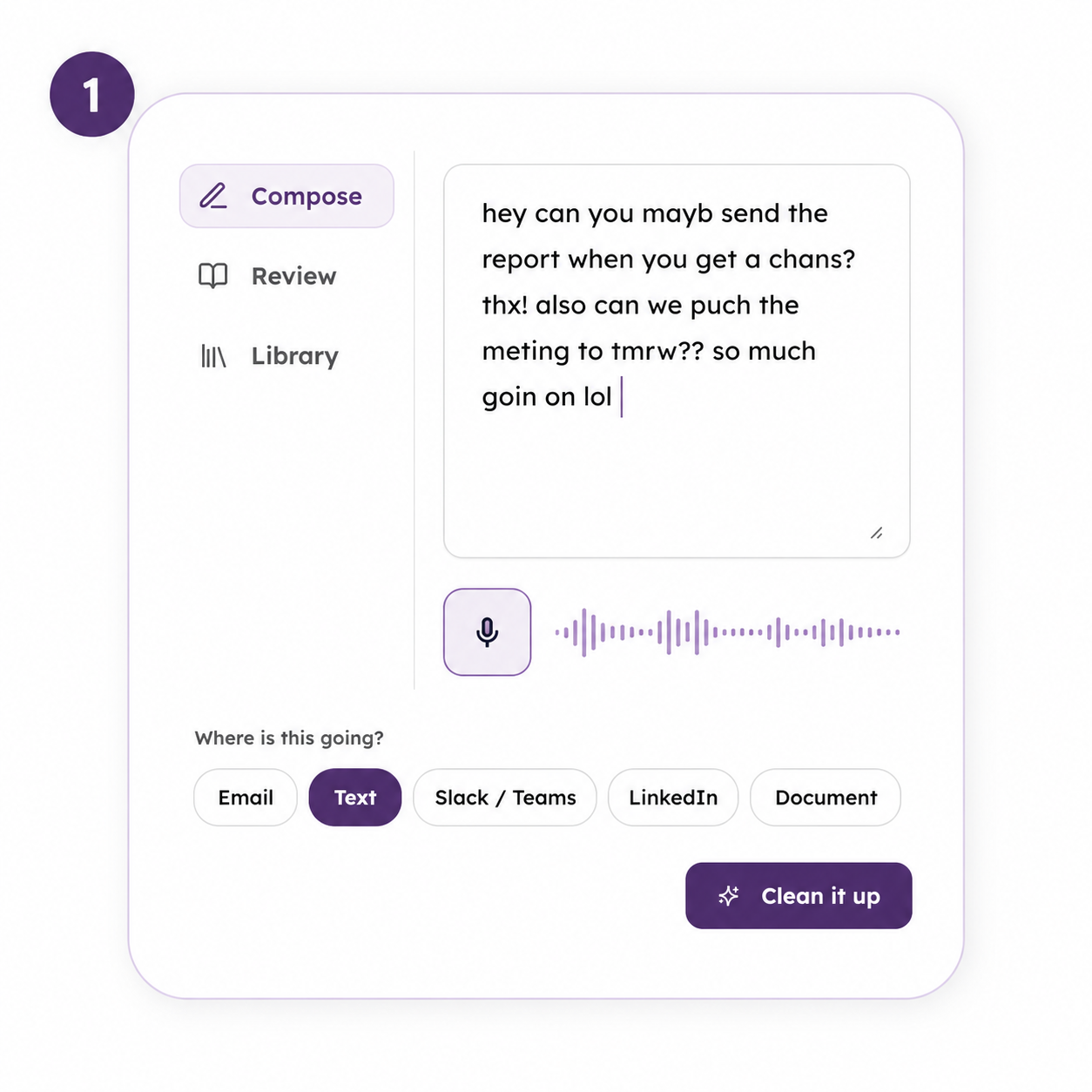
01. Type or speak
Type, paste, or speak your messy thoughts. Typos, fragments, and voice notes are welcome.
-
![A digital quiz question asking 'Where is this going?' with answer options 'Email,' 'Text,' 'Slack / Teams,' 'LinkedIn,' 'Document,' and 'Not sure.' The 'Text' option is highlighted in purple.]()
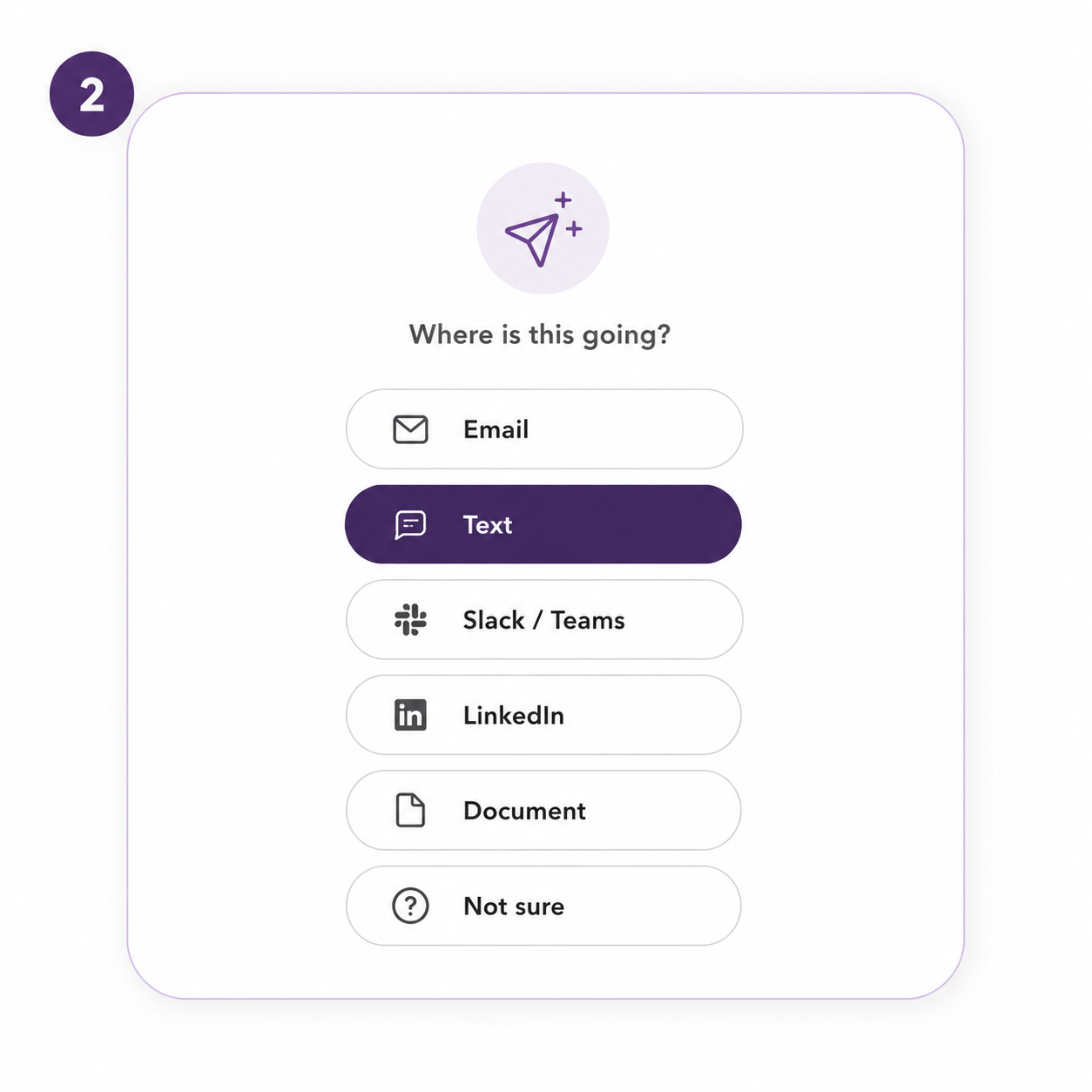
02. Pick the format
Pick email, text, work message, LinkedIn, document, or “Not sure.”
-
![Screenshot of a chat draft message requesting a report and scheduling a meeting, with options to read aloud, copy, or use the draft.]()
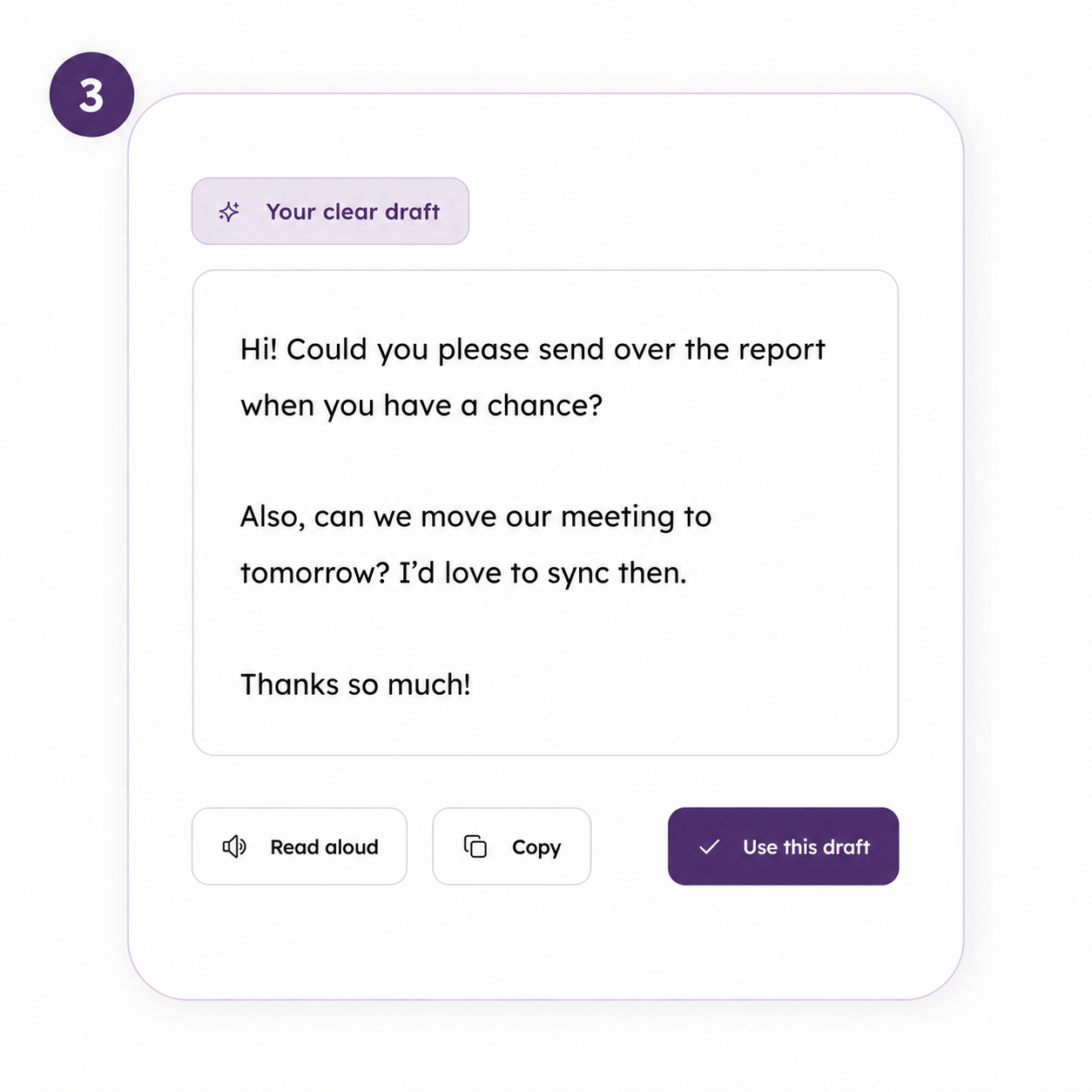
03. Get a draft
The tool cleans it up while keeping your meaning, tone, and voice.
-
![Screenshot of a language learning app displaying a lesson titled "Hear it out loud" with a phone icon and a speech bubble showing a conversation about rescheduling a meeting, including highlighted text "move our meeting to tomorrow". There is a play button and an audio waveform at the bottom.]()
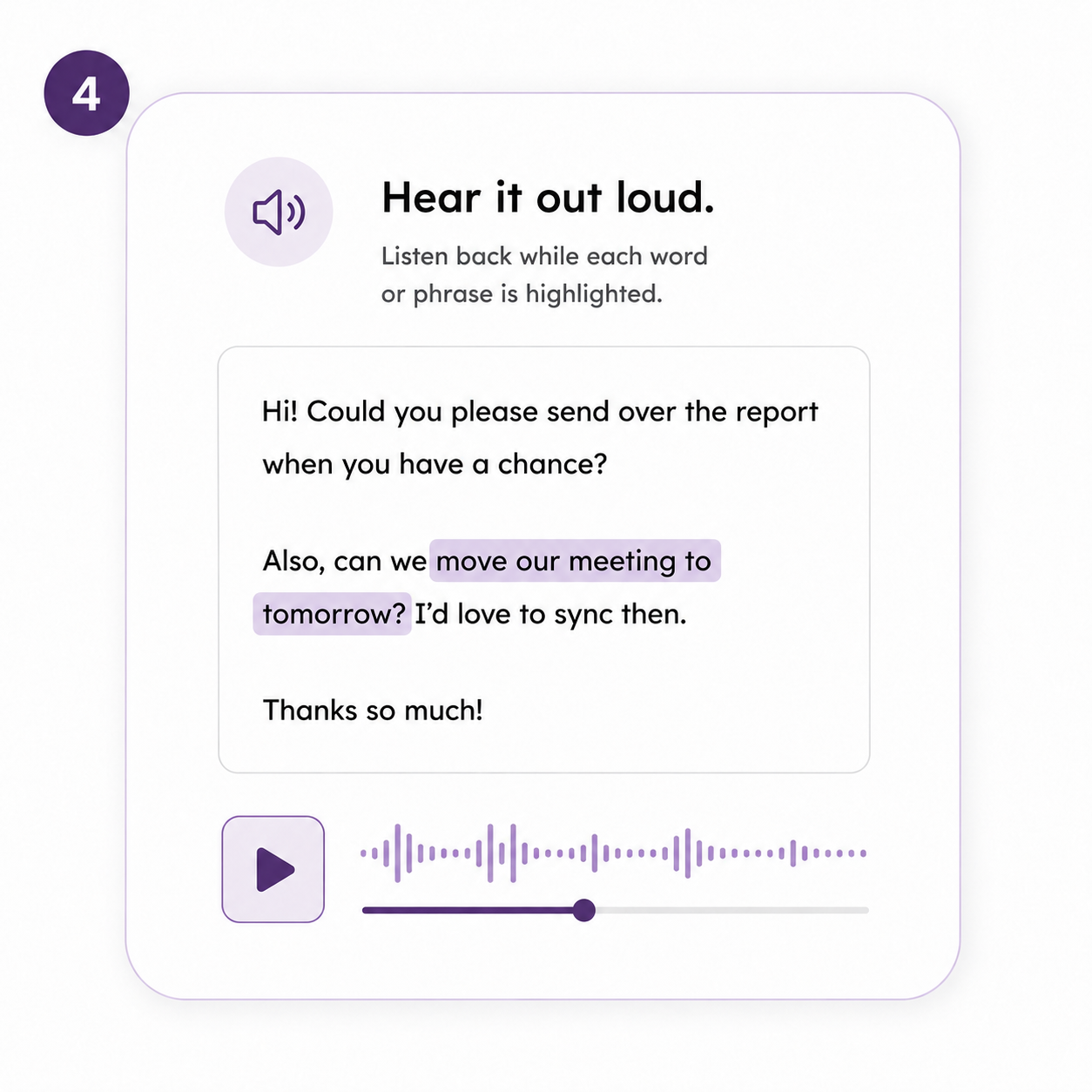
04. Hear & Change
Listen while the current word or phrase is highlighted, so it is easier to follow. Select one word, sentence, or section and update only that part.
-
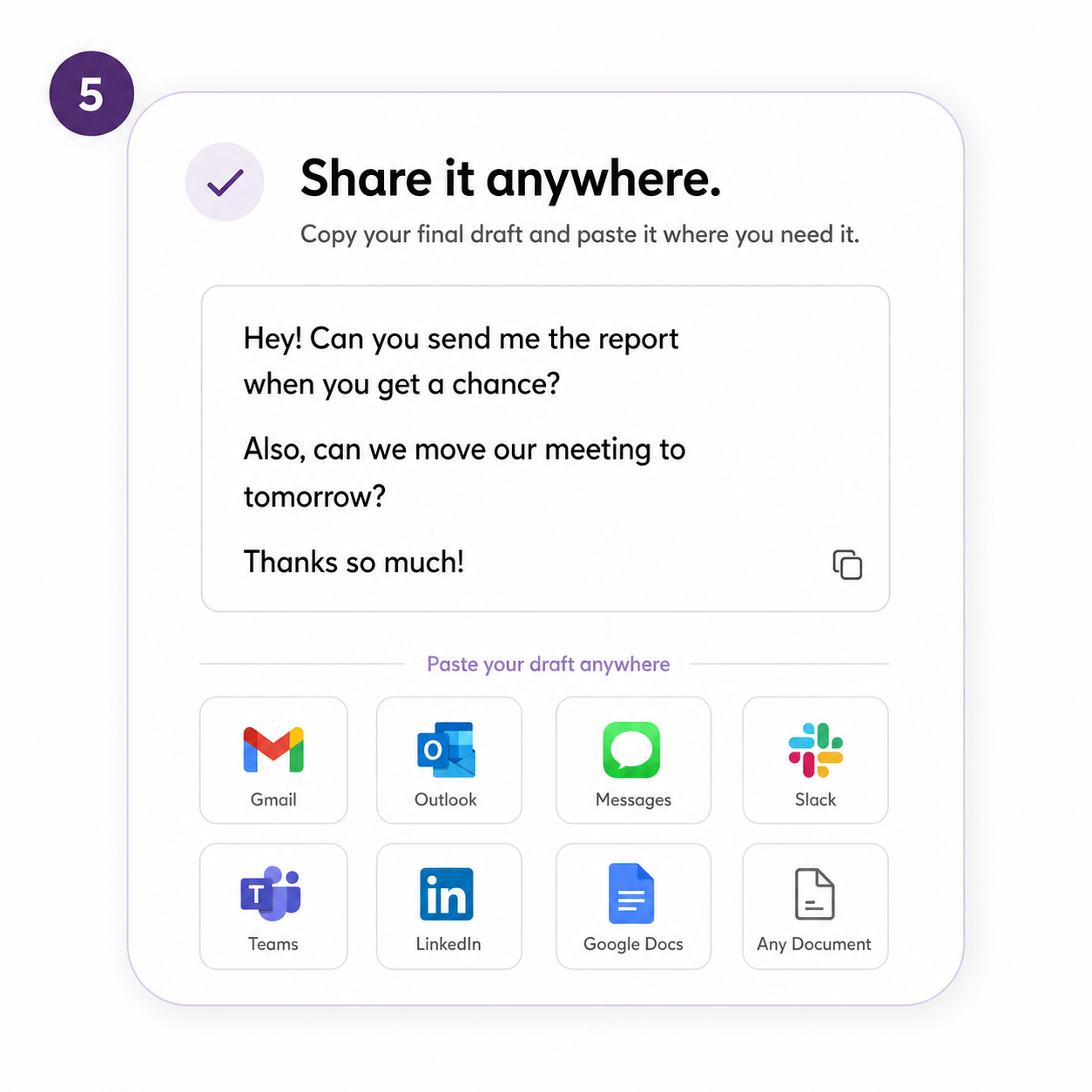
![A digital interface displaying a message about sharing a draft via various apps. The message reads: "Share it anywhere. Copy your final draft and paste it where you need it," with suggested options like Gmail, Outlook, Messages, Slack, Teams, LinkedIn, Google Docs, and an option for any document]()
05. Copy & Paste
Copy your final draft and paste it anywhere with confidence.

Built to understand neurodivergent writing, not just correct it.
Created from lived experience for people who process language differently. It is built for the moments when spelling breaks down, thoughts move faster than typing, sentences come out tangled, or voice notes need help becoming something clear. Instead of treating those first drafts as mistakes, the tool looks for the meaning underneath and helps shape it into writing that feels clear, natural, and still yours.
-
A typo does not mean your idea is bad. A sentence that comes out wrong does not mean you are not smart. Needing help with spelling, structure, tone, or proofreading does not mean you do not have something important to say. Write What I Mean looks for the meaning underneath the mess. Then it helps turn that meaning into clear writing you can actually use.
-
This is one of the biggest differences. With many AI tools, you ask for one small change and the whole draft gets rewritten. Then the part you liked is gone. Write What I Mean lets you highlight one word, one sentence, or one section and change only that part.
You can say:
Make this softer.
Make this shorter.
Make this clearer.
Make this more direct.
This does not sound like me.
Change this word.
Remove this sentence.
The rest stays the same. You stay in control.
-
Some people think better out loud. Some days typing takes too much energy. With Write What I Mean, you can talk through what you are trying to say. It can take a rough voice note and help turn it into an email, text, work message, LinkedIn post, or document.
You can ramble. You can restart. You can say it out of order. The tool helps shape it into something clear without making you feel like the first version was wrong.
-
Sometimes reading your own writing is hard.
Sometimes you look at a sentence and your brain skips over words.
Sometimes you are tired and cannot tell if it says what you meant.
Sometimes the only way to know if it sounds right is to hear it.
Write What I Mean can read the draft out loud.
As it reads, the current word or phrase is highlighted on screen. The highlight moves with the voice so you can follow along, stay in place, and catch anything that feels off.
It helps you review the message without having to fight the page.
-
It is built to understand the way thoughts can come out when you have dyslexia, dysgraphia, ADHD, or a language-processing difference.
Sometimes the word in your head does not come out right on the screen. Sometimes you spell it how it sounds. Sometimes the letters get mixed up. Sometimes the sentence runs on because your brain is moving faster than your hands. Sometimes the idea is clear in your head, but the draft looks messy. Sometimes you talk it out instead of typing, and the voice note jumps around, repeats itself, or misses words.
Write What I Mean is built for that.
Available Plans
Built to help with the writing you do every day, not just one message once in a while. Use it when the words are stuck, the spelling is off, the tone feels wrong, or the draft does not sound like what you meant. Type it. Paste it. Say it out loud. We help you turn it into clear writing you can send, share, or save.
Stop staring at the blank page. Start writing in a way that works for your brain. Save 15% when you pay yearly. That brings the cost down to about $25/month.
Frequently Asked Questions
-
Most AI writing tools start with a blank box and expect you to explain exactly what you need. Write What I Mean is built for messy starts.
You can type with misspellings, paste scattered notes, speak a rough voice note, or write something that feels all over the place. The tool looks for what you meant first, then helps turn it into clear writing that still sounds like you.
-
No. It was built with dyslexia, dysgraphia, ADHD, and language-processing differences in mind, but anyone can use it. It is for people who know what they want to say but have trouble getting it onto the page clearly.
-
That is part of what this was built for. Write What I Mean is designed to work with phonetic spelling, mixed-up letters, missing punctuation, run-on thoughts, and words that may not look close to the correct spelling.
It does not stop at correcting words. It tries to understand the meaning behind them.
-
Yes. You can speak your thoughts instead of typing them. This is helpful if writing feels tiring, slow, or frustrating. You can talk through the idea in a messy way, and the tool can help turn that voice note into a clean draft.
-
You can choose Not sure. The tool can help decide whether your writing should become an email, text, work message, document, or something else.
You do not have to figure that out first.
-
No. That is one of the main reasons this tool exists. Write What I Mean is built to clean up the writing without flattening your voice. The goal is not to make you sound robotic, overly formal, or like a corporate template.
The goal is to make you sound like yourself, only clearer.
-
Yes, but that is not the whole point. It can clean up spelling, grammar, punctuation, and sentence structure. But it focuses on meaning first.
It does not call out your mistakes or make you feel bad about the first draft.
-
Yes. That is one of the main use cases. You can paste the sentence in and ask the tool to make it softer, clearer, shorter, more direct, more professional, or more like you.
-
Sometimes your eyes skip words. Sometimes your brain reads what you meant to write, not what is actually there. The moving highlight helps you stay in place while the draft is read aloud. It makes reviewing easier because you can hear and see the words at the same time.
-
Yes. You can select one word, sentence, or section and ask for a change. The tool will update only that part unless you ask it to rewrite the whole thing.
-
No. You do not have to explain or prove anything. The tool is designed to support the way you write, speak, and review. You can use it without sharing a diagnosis.
-
That is exactly when this tool can help. Some days the words come easier. Some days they do not. Write What I Mean gives you a place to start messy, speak instead of type, hear the draft back, and make small changes without starting over.